PrintProof - The Game-Changer in Soft Proofing for Colour-Managed Workflows
Colour accuracy isn't just a nice bonus anymore - it's the foundation of a smooth print workflow. Whether you're working with textiles, signage, or fine art, the real goal is to get the proof right before anything hits the printer. No unnecessary test prints, no backtracking, no second-guessing. When your proofing is accurate, everything else runs cleaner, calmer, and a whole lot more predictable.
That's exactly where the new soft proofing feature, PrintProof, comes in. Available in Serendipity Blackmagic (with the Soft Proofing Add-on) and Veripress from version 9.1 onward, PrintProof gives you a reliable on-screen preview of your job before a single drop of ink is used. It bridges the gap between what you see on your calibrated monitor and what comes out of the printer.
In this article, we'll walk through what PrintProof does, how it works, and why it helps boost production accuracy across industries like textiles, apparel, commercial printing, photography, packaging, and more.
What is PrintProof?
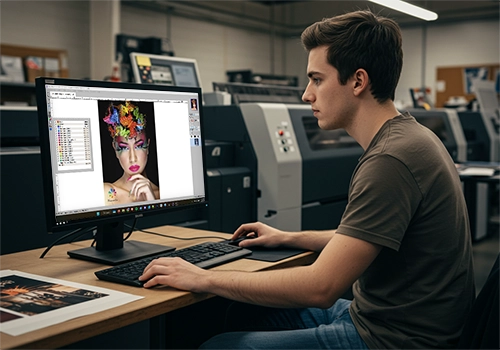
PrintProof is designed to show you exactly how your job will print - before you commit to a test sheet or a production run. Improving on Serendipity's existing functionality, it gives you an output-accurate view that reflects your real device, media, and colour profile.
It's an advanced soft proofing feature that provides a highly precise on-screen visualisation of how your job will print on a specific device, using its actual ICC profile. It replaces the rendered "Printed Preview" with something far more reliable.
Where It's Available
PrintProof is available as part of the Soft Proofing add-on for the Serendipity Blackmagic RIP system, or as standard in Veripress; versions 9.1 and higher.
Loads Printer ICC Profiles
It uses the actual printer/device profile to simulate output precisely.
Simulates Real Output
Simulates results exactly as the printer will reproduce them, on a calibrated monitor.
Catches Costly Errors
It identifies colour issues, shifts, and inconsistencies before you commit to print.
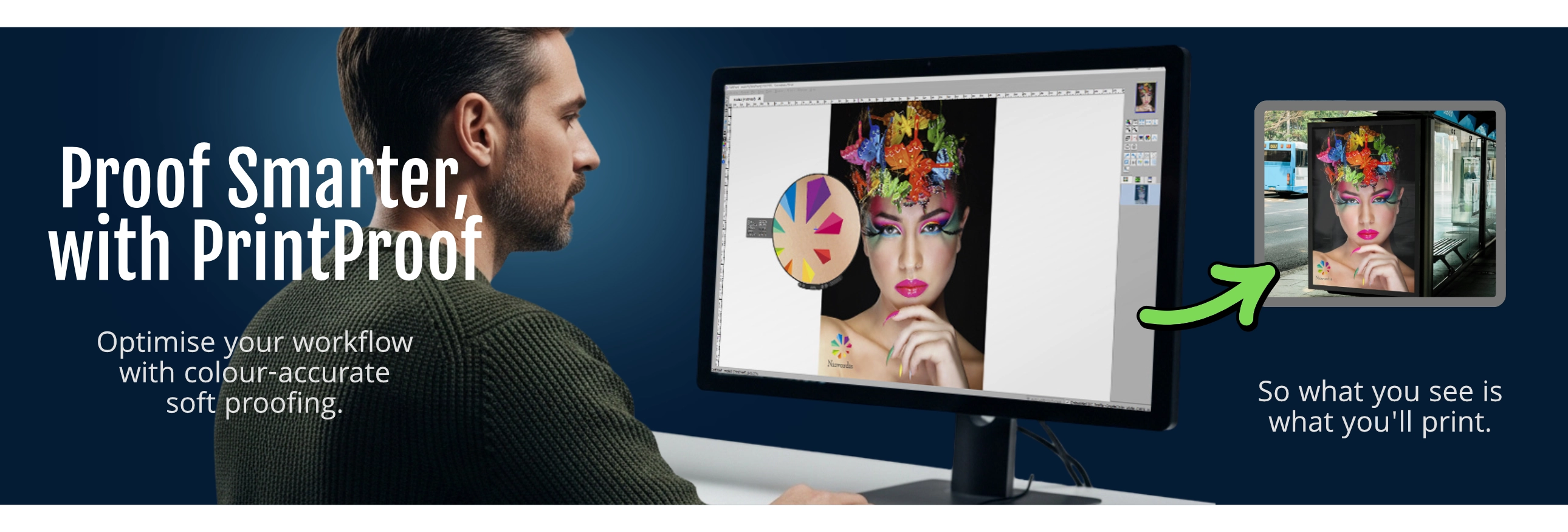
In other words: What you see on screen is what you get in print.
PrintProof as Your Printer's "Colour Fingerprint"
Every printer, ink set, media type, and print condition behaves differently - each has its own colour fingerprint. PrintProof uses the device's output ICC profile to simulate that behaviour on-screen, giving you a realistic preview of how your job will actually print. This includes:
- Tonal behaviour - how highlights, shadows, and midtones will reproduce, including any risk of loss of detail, based on the device's linearisation and profiling.
- Colour shifts - any subtle or noticeable deviations from the intended colour caused by the printer, media, or ink.
- Rendering intent effects - how choices like Perceptual or Relative Colourimetric will influence the final output.
- Profile-to-profile conversions - what happens when your source image profile is transformed into the device's output profile, including any compromises the conversion introduces.
In other words, you're not just previewing the artwork - you're previewing how your printer will interpret it. A standard screen preview shows you the digital file. PrintProof shows you the printed result. It's a major step forward for proofing accuracy.
Core Benefits of PrintProof
Ultra-Accurate Colour Reproduction
For colour-critical work, this level of visibility is non-negotiable. PrintProof lets production teams review skin tones, low-gamut colours, neutrals, and shadow detail with confidence - before a single print is made.
Catch Problems Before Printing
PrintProof acts as a pre-print safety net, making it easy to spot issues such as:
Unexpected Colour Shifts
Detect profile-conversion problems that cause colours to drift from the intended appearance.
Dull or Washed-Out Areas
Visualise where saturation may drop once printed, rather than discovering it on a test sheet.
Flat or Muddy Blacks
Check tonal separation, detail, and neutrality in deep shadows to avoid muddy results.
Efficiency Gains: Save Time, Ink, Media, and Labour
Material waste is expensive - especially when running colour-critical jobs. PrintProof helps reduce that cost by removing the need for repeated test prints and unnecessary revisions.
Minimise Costly Test Print Runs
Cut back dramatically on physical proofing and pre-production waste.
Reduce Repeat Corrections
Spot issues early in the digital stage instead of fixing them after printing.
Faster Client Approvals
Provide accurate previews that clients can sign off on with confidence, reducing approval delays.
Works Seamlessly With Third-Party Workflows
One of PrintProof's biggest strengths is its ability to act as a universal colour-simulation engine. Although the job is processed within the Serendipity environment to generate the preview, PrintProof uses the ICC profile that characterises the external print system. The result: an accurate soft proof of how the job will look when printed on a third-party device.
This is invaluable for hybrid environments using multiple production systems. For example, Veripress users can soft-proof output from external workflows with high accuracy - making PrintProof a flexible, reliable solution across diverse operations.
Industry Applications: Where PrintProof Makes the Difference
PrintProof adapts to the unique colour challenges of different print sectors. Here's how it supports each industry:
Textiles & Apparel
DTG, Dye Sub, Digital FabricColour behaviour varies dramatically across cotton, polyester, blends, and treated fabrics. PrintProof helps you:
- Evaluate expected colour saturation
- See how tones shift across different fabrics
- Predict softening or flattening in specific shades
- Reduce the need for physical sample swatches
Photography & Fine Art
Giclée, Exhibition PrintsArtists and photographers expect precision. PrintProof helps you deliver prints that stay true to the original vision:
- Faithful tonal reproduction
- Predictable black-and-white behaviour
- Smooth, controlled gradients
- Fewer costly test prints
Sign & Display
Wide Format, BillboardsLarge-format and specialty substrates are expensive - mistakes multiply fast. PrintProof helps you:
- Check colour consistency at scale
- Identify potential distortion or scaling issues
- Verify resolution and clarity
- Ensure correct profile matching
Publishing & Creative
Agencies, DesignersA reliable bridge between RGB creativity and CMYK reality:
- Visualise true CMYK results before committing to print
- Identify colour shifts early
- Deliver accurate proofs to clients
- Speed up approval workflows
Why PrintProof Is a Must-Have
Predictive Tool
It shows what your printer will do, not just what the file looks like.
Reduces Correction Loops
Fewer surprises mean fewer revisions, quicker approvals, and smoother production.
Saves Money
Cuts back on wasted ink, media, labour, and unnecessary test prints.
PrintProof is more than a preview tool - it's an accuracy engine for modern production environments. By applying your printer's actual colour fingerprint to the soft proof, it turns your calibrated monitor into a reliable predictive view of the final print. The result: less guesswork, less wastage, and far more confidence in every job you send to print.
If colour accuracy is central to your workflow, PrintProof isn't just beneficial - it's essential.
Interested in improving your colour accuracy or proofing process? Explore how PrintProof and other capabilities in Blackmagic and Veripress support both printed and on-screen proofing across a wide range of production environments on our product pages.